

AI assistant
AI Solar Assistant: Run Your Solar CRM by Voice or Chat
The RAYVO assistant works inside the CRM: you speak or type what you need in Hindi, Hinglish or English, and it finds records, adds leads, logs calls, plans site visits and drafts quotations. Anything that moves money or makes a document for a customer is read back to you first, and it only acts after you say yes. It uses your own login, so it sees and changes only what you are allowed to.
What it does, how, and what you get
Each capability below says what it does, how it is worked out, what it produces and why it matters to installers and EPC companies.
Your day, in one question
- What it does
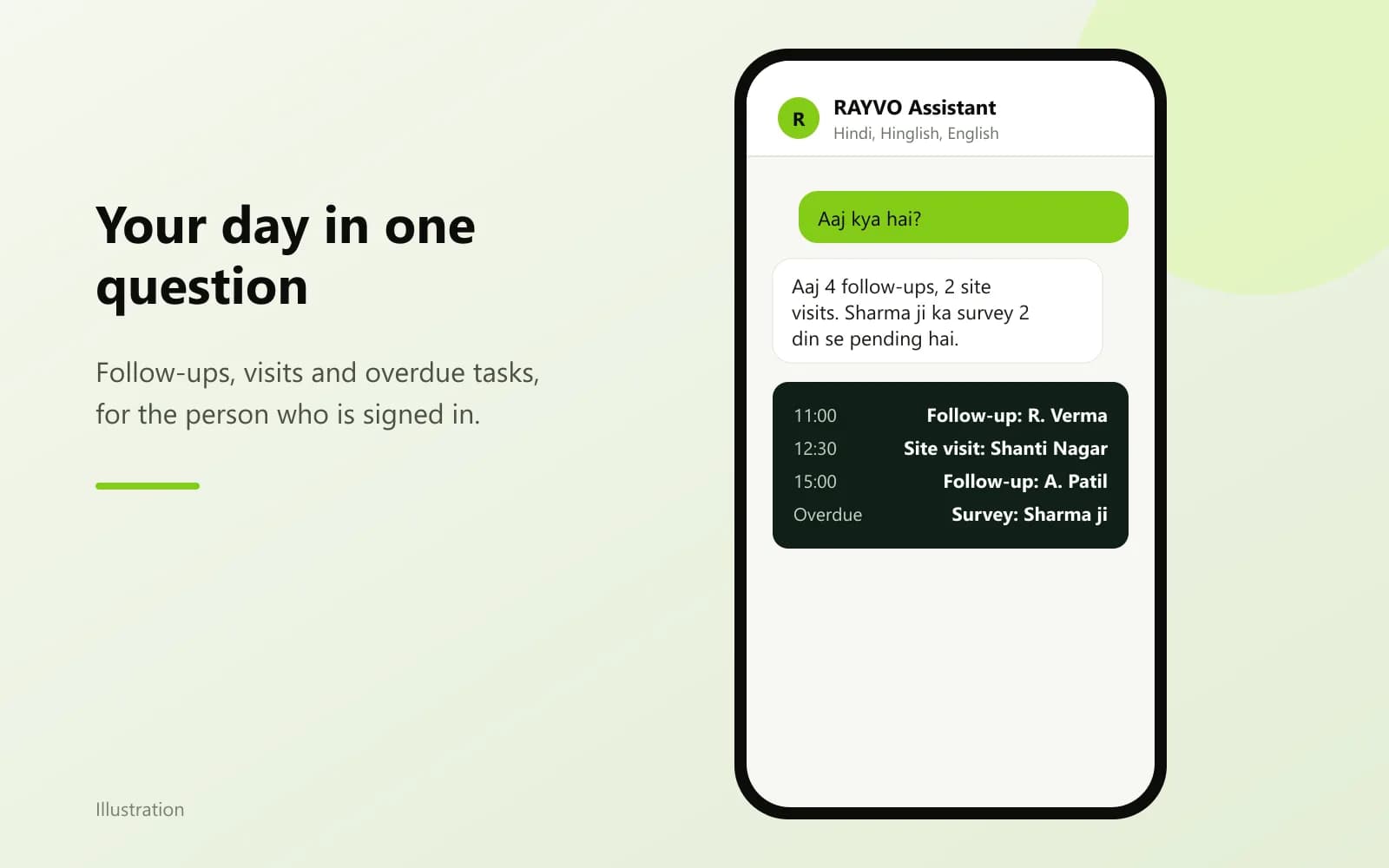
- Asks like "aaj kya hai?" get today's follow-ups, tasks, site visits and overdue items for you.
- How it works
- It reads your own agenda, follow-ups, tasks and site visits from the CRM, the same lists you see on screen.
- What you get
- A short spoken or written list of what is due today and what is late, with names.
- Why it matters
- Field staff start the day without opening five screens, and nothing due today is missed.
Leads and calls without typing
- What it does
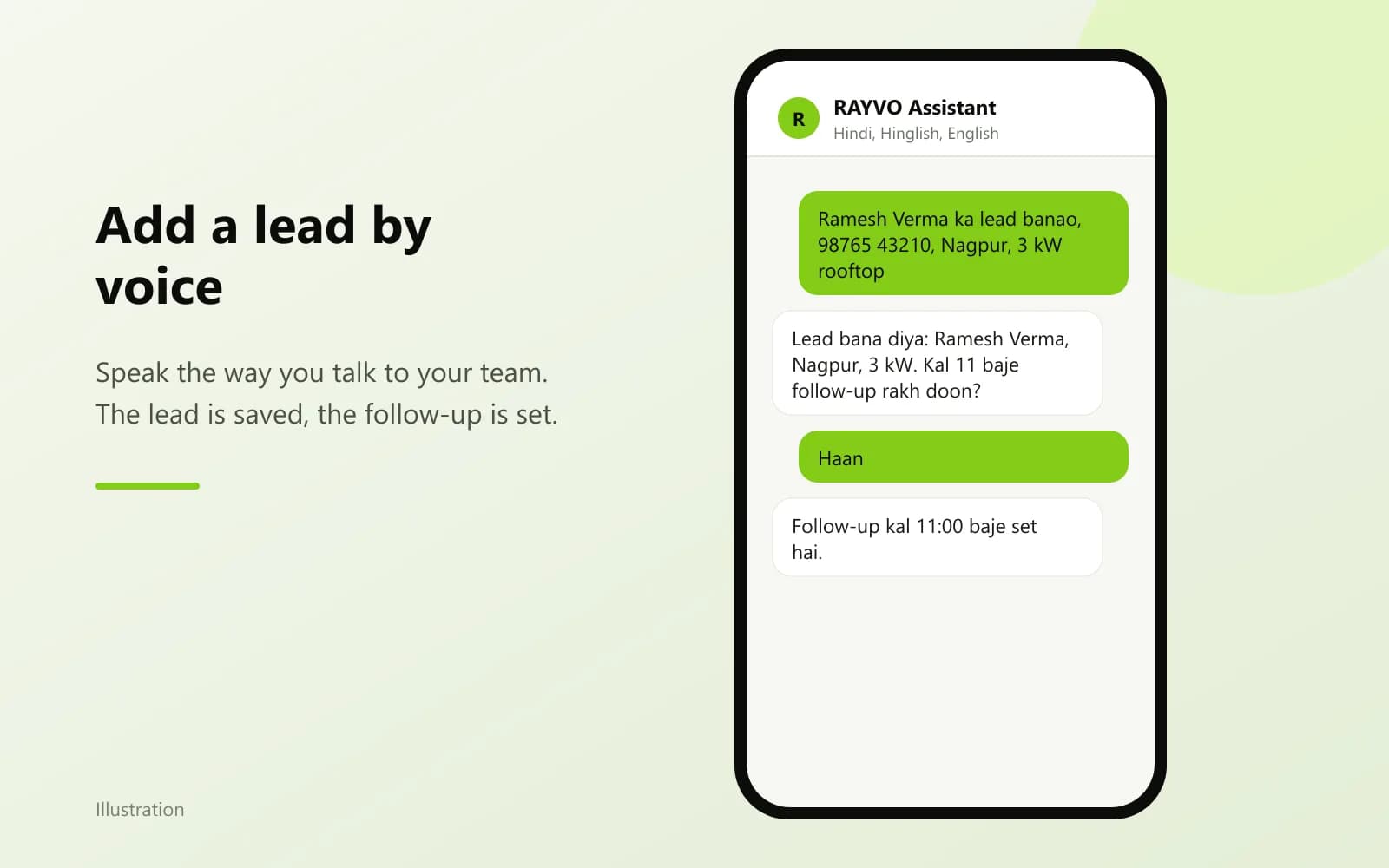
- Add a lead, update it, assign it, log a call or a visit, and set the next follow-up.
- How it works
- It fills the same lead and activity records the CRM uses, checking duplicates by mobile number like the lead form does.
- What you get
- A lead or activity saved under the right customer, with a follow-up on the calendar.
- Why it matters
- Calls made from the road get recorded while they are fresh, not at the end of the week.
Quotations and projects, with a yes first
- What it does
- Draft, update and send quotations, convert a won lead, and create or update a project.
- How it works
- Each of these is read back with the name and amount, and runs only after you agree. Quotations are built by the same quotation service as the screen, from your own products and prices.
- What you get
- A quotation or project in the CRM, exactly as if made from the screen.
- Why it matters
- Speed without surprises: nothing is sent to a customer that you did not hear first.
Payments, expenses and stock
- What it does
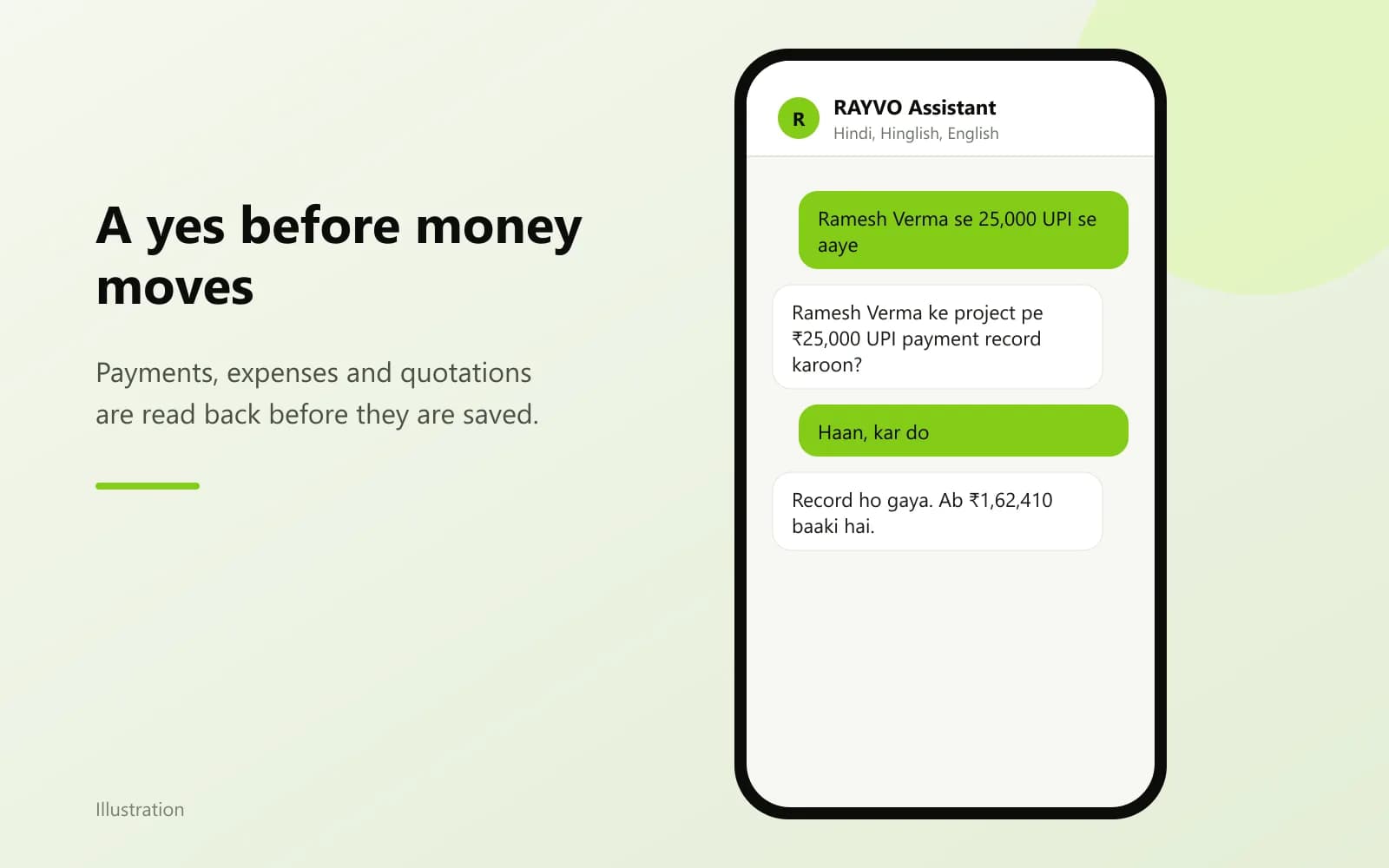
- Record a payment received, an expense, stock coming in or going out to a project, and check stock or dues.
- How it works
- Money and stock movements ask for a yes with the amount; lookups like dues and stock levels answer directly.
- What you get
- Entries in Finance and Inventory, with the person who made them recorded.
- Why it matters
- The office gets payments and material movements the same day, from the person on site.
Electricity bill to draft quotation
- What it does
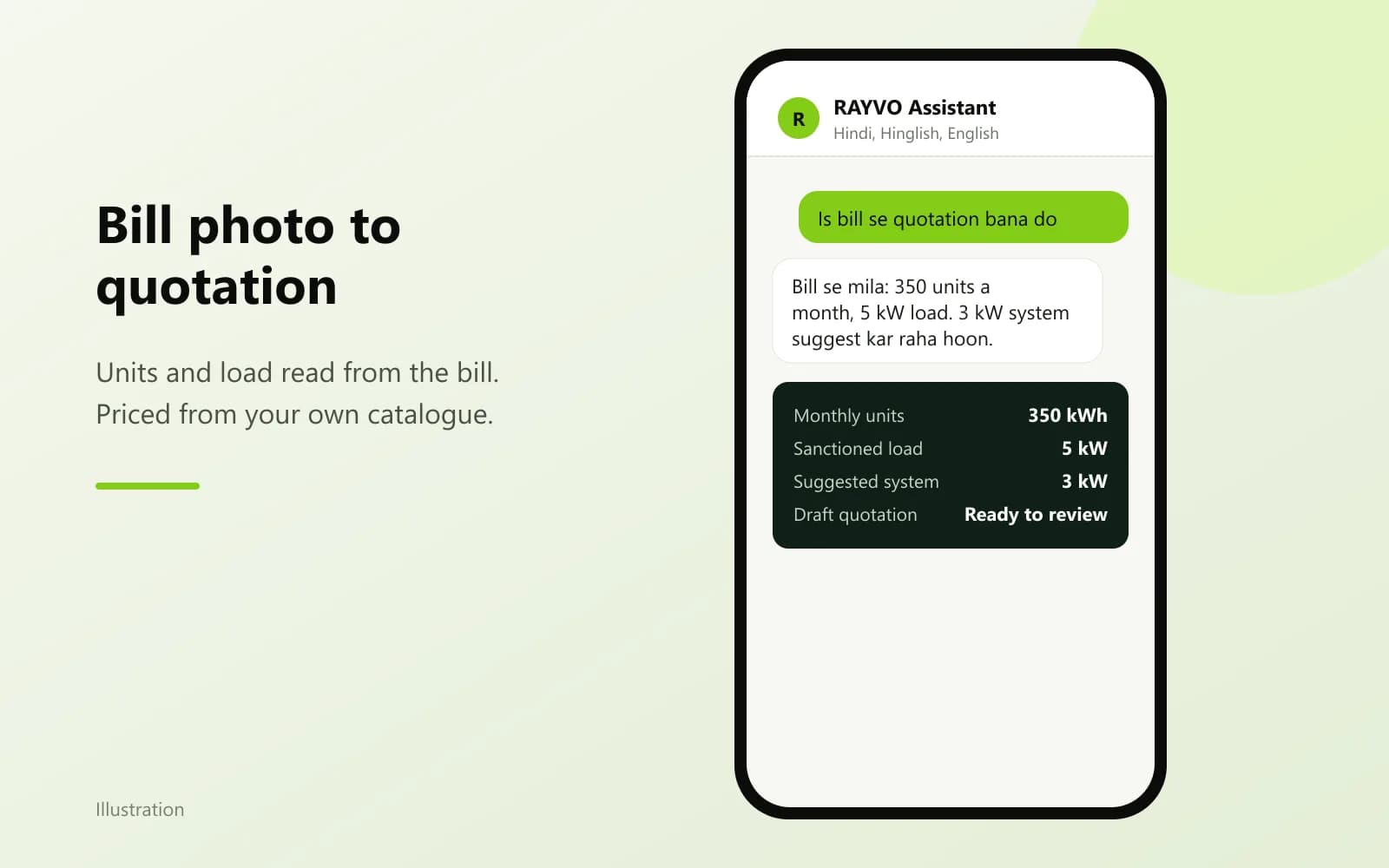
- Take a photo of the customer's electricity bill and get the units, load and a suggested system size.
- How it works
- The bill is read once; the draft quotation is then built from products in your own catalogue at your own prices, with the subsidy from the one subsidy table.
- What you get
- Figures read from the bill and a draft quotation for the customer you choose.
- Why it matters
- A site visit ends with a quotation started, not a note to make one later.
Documents for a project
- What it does
- Ask which documents a project still needs and generate them from your templates.
- How it works
- It uses Document Automation: your own templates, filled from the customer and project records.
- What you get
- Generated documents saved on the project, ready to print or share.
- Why it matters
- DISCOM and subsidy paperwork stops waiting on someone to type the same details again.
What the outputs look like
Screens from the RAYVO 3D Design Studio, pages from its proposals, and sample drawings marked as illustrations.
Four steps on one design
- 1
Open the assistant
Tap the assistant in the CRM on your phone or computer. Choose a voice call or chat.
- 2
Say what you need
Speak naturally in Hindi, Hinglish or English, for example "Ramesh ka lead banao, 3 kW, Nagpur".
- 3
Hear it back
For quotations, conversions, projects, payments, expenses and stock, it reads the details back and waits for your yes.
- 4
Find it in the CRM
Everything it does is saved in the normal screens and in the activity history, under your name.
The methods behind the numbers
Design-stage figures from recognised methods. Final structural and electrical designs are signed by licensed engineers.
| Languages | Hindi, Hinglish and English; it replies in the language you use |
|---|---|
| Ways to use it | Live voice call, or chat with the browser microphone |
| Asks for a yes before | Creating or sending a quotation, converting a lead, creating or changing a project, recording a payment, an expense or stock movement |
| Never does | Delete records, change pricing settings, or touch payroll |
| Access | Your own login and role: it sees and changes only what you may |
| Voice security | The browser gets a one-use token for the call; the AI key stays on the server |
AI Solar Assistant questions
Yes. It replies in the language you use: Hindi, Hinglish or English.
No. It reads the details back with the name and amount, and only acts after you say yes.
No. The assistant cannot delete records, change pricing settings or touch payroll.
No. It works with your login and role, so it sees and changes only what you are allowed to on screen.
No. Draft quotations are built from products in your own catalogue at your own prices, and the subsidy from the same subsidy table the CRM uses.
More solar engineering in RAYVO
Ready to run your business smarter?
Bring your solar design, CRM, quotations, projects, finance and business operations together with RAYVO.
Or talk to us on WhatsApp at +91 90399 94090