
CAD and DXF
Solar CAD and DXF Export for Rooftop Layouts
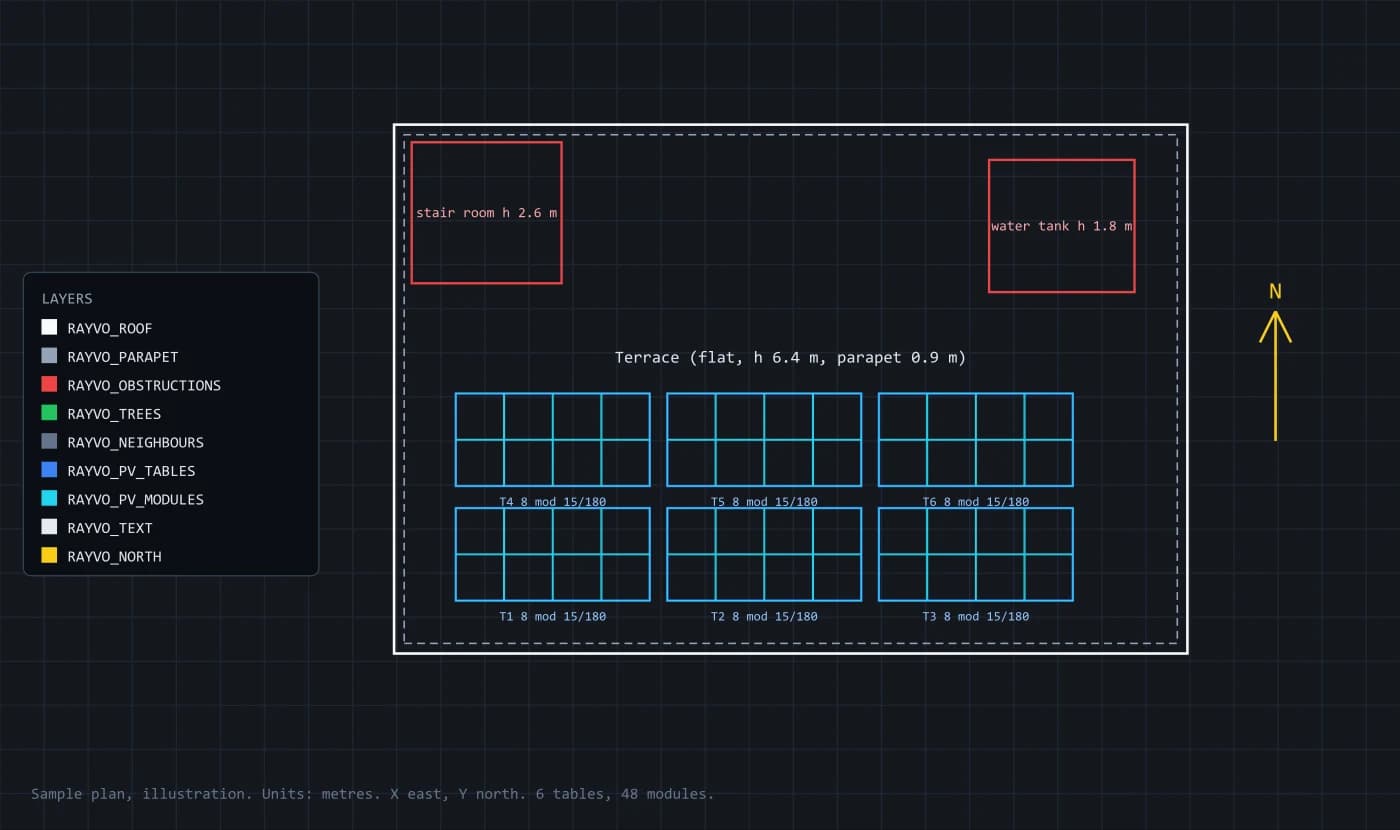
The roof plan and the PV layout from the RAYVO 3D Design Studio export as a DXF drawing. It is true to scale in metres, lines up with north, and puts every kind of object on its own layer, so structural and electrical consultants can work on it in AutoCAD, BricsCAD, LibreCAD or DraftSight without redrawing the site.
What it does, how, and what you get
Each capability below says what it does, how it is worked out, what it produces and why it matters to installers and EPC companies.
True scale, true north
- What it does
- A plan that matches the site.
- How it works
- Coordinates in metres, X to the east and Y to the north, with the origin at the site centre, and the drawing units set to metres in the file header.
- What you get
- A plan you can overlay on a site survey or a structural drawing.
- Why it matters
- Consultants can measure directly on it, without rescaling.
One layer per kind of object
- What it does
- Organised layers for CAD work.
- How it works
- Roofs, parapets (drawn as an inner line), rooftop obstructions, trees, neighbouring buildings, PV tables, individual modules, labels and the north arrow each sit on their own named, coloured layer.
- What you get
- Layers you can switch off, freeze or recolour like any other drawing.
- Why it matters
- A structural engineer can hide the modules and keep the tables; an electrician can do the opposite.
Every module, not just the table
- What it does
- Module rectangles inside each table.
- How it works
- Each table is split into its rows and columns of modules with the same gaps the studio uses.
- What you get
- Exact module positions for clamps, walkways and cable routes.
- Why it matters
- Clamp and rail positions are set by the module edges.
Labels that carry the design
- What it does
- Text that explains the drawing.
- How it works
- Roof labels with type, pitch, height and parapet height; obstruction labels with height; table labels with module count, tilt and facing; a title block with site, capacity, module and date.
- What you get
- A plan that can be read without the 3D model.
- Why it matters
- The drawing travels to people who never open the studio.
Opens everywhere
- What it does
- A format every CAD program reads.
- How it works
- AutoCAD R12 ASCII DXF with lines, polylines, circles and text only.
- What you get
- A file that opens in AutoCAD, BricsCAD, LibreCAD, DraftSight and most CAD viewers.
- Why it matters
- No converter, plug-in or special version needed.
What the outputs look like
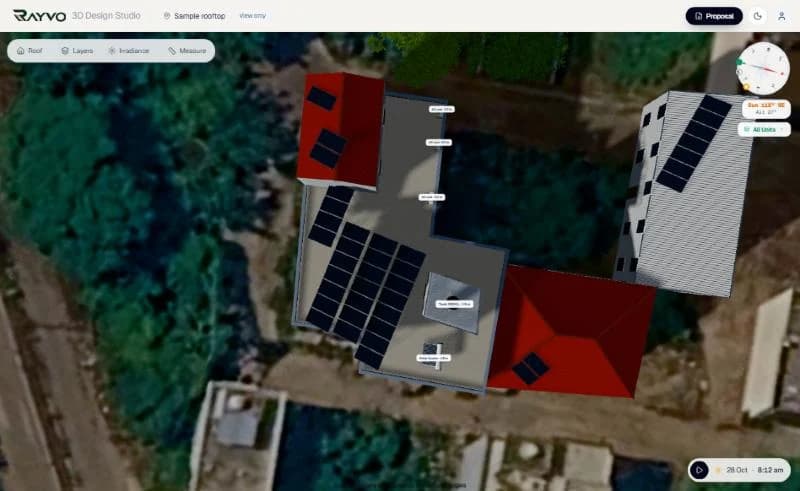
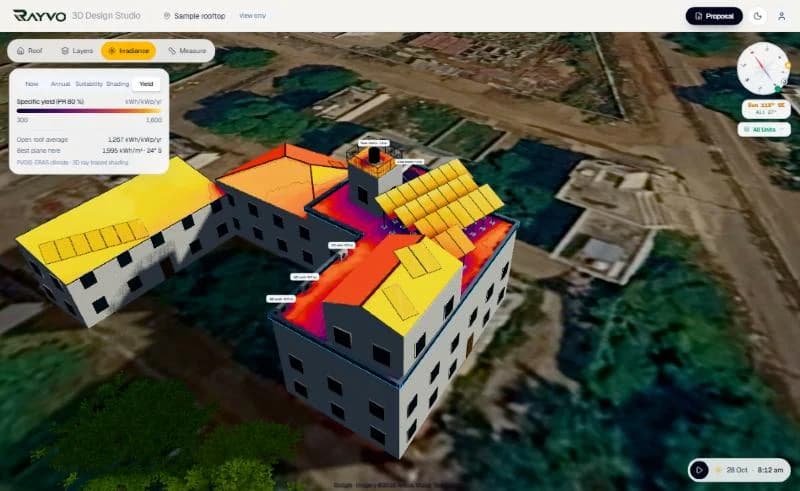
Screens from the RAYVO 3D Design Studio, pages from its proposals, and sample drawings marked as illustrations.
Four steps on one design
- 1
Design in 3D
Roof, obstructions and the PV layout.
- 2
Open Drawings
The plan is built from the current design.
- 3
Download DXF
One file, layered, in metres.
- 4
Work in CAD
Structure, cable routes and approvals on the same plan.
The methods behind the numbers
Design-stage figures from recognised methods. Final structural and electrical designs are signed by licensed engineers.
| Format | AutoCAD R12 ASCII DXF (AC1009) |
|---|---|
| Units | Metres; X east, Y north; origin at the site centre |
| Layers | RAYVO_ROOF, RAYVO_PARAPET, RAYVO_OBSTRUCTIONS, RAYVO_TREES, RAYVO_NEIGHBOURS, RAYVO_PV_TABLES, RAYVO_PV_MODULES, RAYVO_TEXT, RAYVO_NORTH |
| Entities | LINE, POLYLINE, CIRCLE, TEXT |
| Opens in | AutoCAD, BricsCAD, LibreCAD, DraftSight and other DXF readers |
Solar CAD / DXF Export questions
Any program that reads DXF, including AutoCAD, BricsCAD, LibreCAD and DraftSight. It is written in the R12 format, which every version still opens.
Yes. It is in metres, true to scale, with X to the east and Y to the north from the site centre.
The DXF is the roof plan and layout. The single line diagram downloads separately as SVG or an A3 PDF.
Not today. RAYVO exports DXF; roofs are drawn in the studio over satellite imagery.
More solar engineering in RAYVO
Ready to run your business smarter?
Bring your solar design, CRM, quotations, projects, finance and business operations together with RAYVO.
Or talk to us on WhatsApp at +91 90399 94090